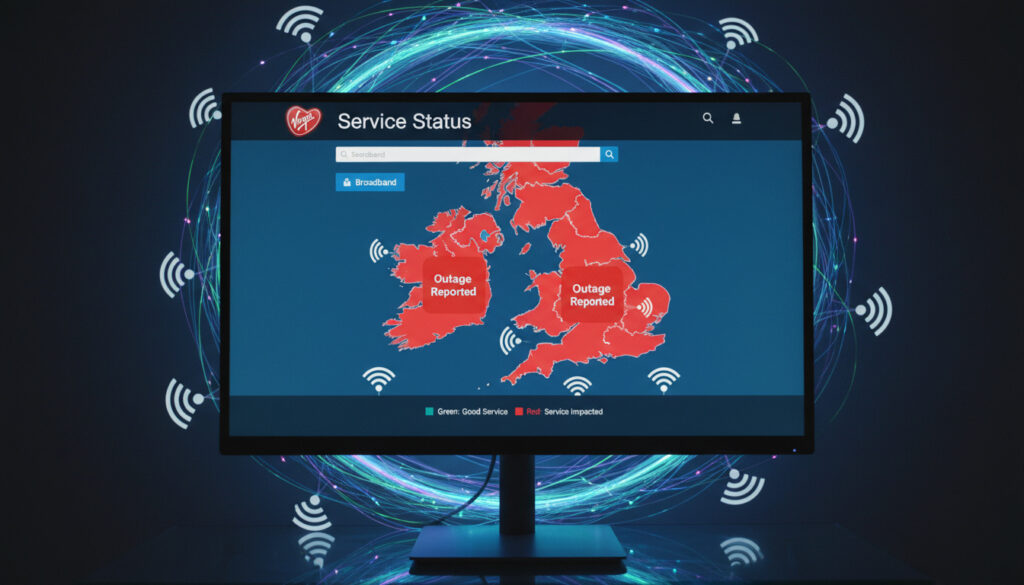
Virgin Media Check Status – Official Checker and Outage Maps
Virgin Media provides broadband, television, phone and mobile services to millions of UK households. When connections fail, users need immediate clarity on whether the issue affects their specific address or reflects a wider network problem.
The operator maintains dedicated infrastructure independent of Openreach, running its own cable network for fixed-line services while leveraging the O2 mobile network for cellular connectivity. This separation means outage patterns often differ from those affecting BT-based providers.
Multiple verification methods exist, ranging from official account-linked diagnostic tools to crowd-sourced outage maps that display user-reported disruptions across postcodes.
How Do I Check Virgin Media Service Status?
Live checker accessible via website and My Virgin Media app with real-time fault detection.
Regional fault identification using account area reference or postcode entry.
Broadband, TV and phone diagnostics with automated equipment testing capabilities.
Timestamped notifications via email and mobile alerts during active maintenance.
- Official checker requires account number and area reference for personalized diagnostics
- My Virgin Media app supports iOS 9+ and Android 5+ devices
- Independent verification available through third-party monitoring platforms
- Service Status tool initiates remote equipment reboots without engineer visits
- O2 mobile status requires separate checking through O2 network systems
- Peak outage reporting typically concentrates during evening hours
- Resolution times average two to four hours for localized infrastructure faults
| Service | Status Method | Access Requirements | Diagnostics Available |
|---|---|---|---|
| Broadband | Service Status page / App | Account number + area reference | Speed tests, local fault detection |
| TV | Service Status page / App | Account number + area reference | Signal strength, channel availability |
| Phone | Service Status page / App | Account number + area reference | Line tests, dialling functionality |
| O2 Mobile | O2 Network Status | Phone number or postcode | Signal coverage, data connectivity |
| Equipment | Run Test feature | Signed-in account only | Router/modem diagnostics |
| Regional | Area reference lookup | Postcode or area code | Wide-area maintenance windows |
| Notifications | Email / SMS alerts | Subscribed contact details | Progress updates, restoration confirmation |
| Support | Phone 0345 454 1111 | Account verification | Human verification of complex faults |
The Service Status checker provides three primary access methods. Users may visit the dedicated status page directly, sign into My Virgin Media with their account number and area reference found on bill statements, or utilize the mobile application. The platform detects local faults automatically and offers equipment testing when no area issues appear.
Is Virgin Media Down Right Now?
Official Verification Channels
Real-time status confirmation begins with the Service Status page or My Virgin Media application. After authentication, the system displays service-specific conditions for broadband, television and landline connections. Users receive immediate notification of detected faults alongside estimated resolution timeframes where available.
When the system identifies no regional issues, the Run Test function executes remote diagnostics on connected hardware. This capability allows the platform to attempt automated fixes or determine whether technician dispatch proves necessary.
Crowd-Sourced Confirmation
Third-party platforms offer independent verification of service availability. DownDetector aggregates user reports into postcode-specific visualizations covering 24-hour windows, displaying concentrated disruption patterns across internet, television and phone services.
If the official Service Status page shows no faults but you experience connectivity loss, consult DownDetector or GeoBlackout. User reports often appear 15-30 minutes before official systems register localized faults.
While personalized diagnostics require My Virgin Media credentials, third-party outage maps function without login credentials, allowing visitors to enter postcodes anonymously to view local disruption patterns.
Where Is the Virgin Media Outage Map?
Third-Party Visualisation Tools
Geographic outage data appears primarily on independent monitoring sites rather than official Virgin Media channels. GeoBlackout provides an interactive UK map tracking internet, mobile internet, television streaming and landline reports with chart visualizations of recent submission trends.
These platforms rely upon user-submitted data rather than official network telemetry. Consequently, they excel at identifying emerging local issues but may display false positives during periods of isolated equipment failure affecting single households.
Geographic Pattern Analysis
Outage concentrations typically cluster around specific exchange areas or maintenance corridors. Users should enter their precise postcode into DownDetector or GeoBlackout to filter map results to their immediate vicinity, as city-wide displays often mask hyper-local conditions.
How to Report a Virgin Media Outage?
Official fault logging occurs through the Service Status checker, which allows subscribers to register issues and subscribe to progress updates without telephoning support lines. This method generates tickets within Virgin Media’s maintenance workflow and triggers automated restoration notifications.
Before reporting service failures, verify that local power supplies remain active. Electrical outages render Virgin Media equipment inoperable regardless of network status, potentially generating false fault reports.
Community reporting options exist through GeoBlackout and DownDetector, where users submit location-tagged disruption notices. These contributions assist neighbors in confirming widespread problems but do not replace official fault registration required for technician dispatch.
Telephone support remains available at 0345 454 1111 between 8am and 9pm daily for users unable to access digital reporting tools or requiring immediate human verification of complex line faults.
What Is the Typical Outage Resolution Timeline?
- Initial Detection: Automated monitoring identifies network anomalies or capacity constraints. Source: Virgin Media Community
- User Reporting: Customers log faults via Service Status or telephone support, confirming geographic scope. Source: GeoBlackout
- Diagnostic Phase: Remote tests determine whether issues require hardware replacement or software reconfiguration. Source: Virgin Media Community
- Engineer Dispatch: For physical infrastructure damage, appointments are booked through the app or support line. Source: GeoBlackout
- Resolution Notification: Email and mobile alerts confirm service restoration and provide incident closure details. Source: Virgin Media Community
What Information Is Verified About Virgin Media Outages?
| Established Information | Information That Remains Unclear |
|---|---|
| Official Service Status checker provides real-time fault detection for broadband, TV and phone services | Precise repair ETAs before official confirmation via Service Status |
| My Virgin Media app offers remote equipment testing and reboot capabilities | Specific technical causes of localized faults prior to engineer inspection |
| DownDetector and GeoBlackout aggregate user reports into postcode-specific maps | Historical outage data beyond 24-48 hour windows on third-party platforms |
| Virgin Media maintains network infrastructure separate from Openreach | Real-time mobile network status integration within fixed-line checker |
| O2 mobile services operate on distinct network status systems | Predictive maintenance schedules not publicly disclosed |
Why Do Virgin Media Service Disruptions Occur?
Network interruptions stem from three primary sources: planned maintenance requiring temporary service suspension, unplanned technical faults affecting exchange equipment, and third-party damage to physical infrastructure. Virgin Media’s coaxial and fibre network, while independent of Openreach, remains vulnerable to cable cuts, power failures and hardware degradation.
Peak disruption periods typically align with high-usage intervals, particularly evening hours when streaming demand peaks. Regional variations occur based on local infrastructure age and maintenance cycles, with older cable sections experiencing higher fault rates than recently upgraded fibre zones.
Weather events constitute a significant contributor to outdoor network damage, while indoor faults frequently originate from customer premise equipment requiring replacement or reconfiguration. The Window Cleaner Near Me – Costs, Tips and Reliable Pros service may seem unrelated, but property maintenance activities occasionally contribute to cable damage requiring technician intervention.
What Do Authority Sources State About Virgin Media Status?
“The Service Status checker lets you check for known issues in your area, run tests on your equipment and book an engineer if needed. You can also sign up for updates so we can let you know when everything is back up and running.”
— Virgin Media Community Support
“User reports on independent platforms provide valuable crowd-sourced data regarding service availability, though official verification remains essential for warranty and service level agreement purposes.”
— GeoBlackout Analysis
How Should Users Respond to Virgin Media Service Issues?
Begin verification with the official Service Status checker to confirm whether your address appears within a known fault zone. If no outage registers, execute equipment diagnostics before contacting support. Those considering relocation during extended disruptions might explore Houses for Sale Barnsley – Prices, Best Areas and Buyer Guide to identify areas with alternative connectivity options, though Virgin Media maintains coverage across most major UK urban centres.
Frequently Asked Questions
Can I check Virgin Media status without signing into an account?
Third-party sites like DownDetector and GeoBlackout allow postcode-based checking without credentials. However, the official Service Status checker requires My Virgin Media sign-in for personalized diagnostics and equipment testing.
How do I check Virgin Media TV and phone status specifically?
Within the Service Status checker or My Virgin Media app, select your specific service type from the dashboard. The system displays individual status indicators for broadband, television and landline connections tied to your account.
What is the difference between Virgin Media and O2 network status?
Virgin Media operates independent cable infrastructure for broadband, TV and phone, while using the O2 mobile network for cellular services. Consequently, mobile outages require checking O2’s separate status system, as Virgin Media’s checker only covers fixed-line services.
How accurate are third-party outage maps?
Sites like DownDetector aggregate user-submitted reports, providing real-time crowd-sourced data that often detects local issues before official confirmation. However, they may show false positives from individual equipment failures rather than network-wide outages.
What should I do if the status checker shows no issues but I have no connection?
Execute the Run Test function within the Service Status checker to initiate remote diagnostics. If problems persist, power-cycle your router and check for local electrical supply issues before contacting support on 0345 454 1111.
How long do Virgin Media outages typically last?
Localized faults generally resolve within two to four hours. Planned maintenance windows may extend longer but are typically scheduled during overnight hours. Complex infrastructure damage requiring physical repairs may take 24-48 hours depending on equipment availability.
More related posts
 How Long Do Rabbits Live – Complete Lifespan Guide
 Cast of 9-1-1: Nashville — Full List, Roles, and Guest Stars
 Samsung Z Flip 5: Issues, Lifespan, and Review – Is It Worth It?
 How Many Teeth Do Dogs Have? Puppy, Adult & Breed Facts
 Normal Blood Sugar Levels Chart – UK NHS Guidelines by Age
 New Zealand vs England Cricket Match Scorecard – T20 World Cup
