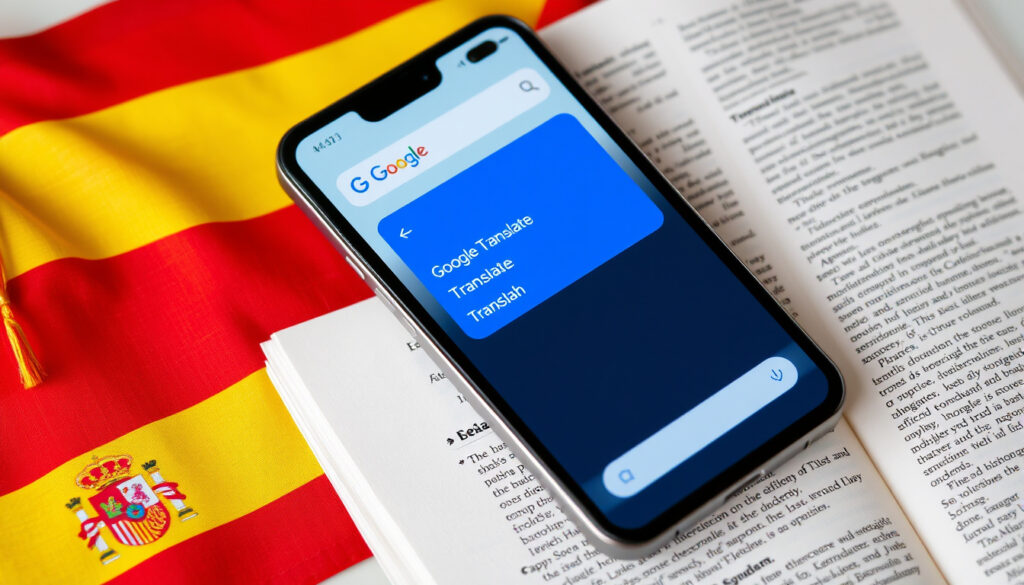
Google Translate English to Spanish: How to Use & Accuracy
Anyone who has ever needed a quick Spanish translation of an email or a sign already knows the convenience of Google Translate. This guide walks through how to use it for English‑to‑Spanish, what its core features are, and where it falls short compared to professional translation — so you know when to trust it and when to bring in a human.
Languages supported: over 100 (Google Translate) · General meaning preserved: 82.5 % (Smartling) · English‑Spanish accuracy (2019 study): 94 % (Slator)
Quick snapshot
- Free service with text translation for 108 languages (Google Translate)
- Offline translation available after downloading language packs (Google Translate)
- Neural machine translation since 2016 reduced errors by over 60 % for major pairs (Slator)
- Exact daily active user figures are not publicly disclosed (Google Translate)
- Accuracy claims vary by study (82.5 % to 94 %) depending on methodology and content type (Phrase)
- Future feature updates may alter capabilities (Timekettle)
- Further improvements expected for low‑resource languages (Timekettle)
- Integration with more apps and devices likely to expand (Phrase)
- Human‑in‑the‑loop workflows (MT + post‑editing) become standard for professional use (Phrase)
Below are the key specifications for Google Translate’s English‑Spanish capabilities.
| Attribute | Value | Source |
|---|---|---|
| Official site | translate.google.com | Google Translate |
| iOS App size | Approx 200 MB | Apple App Store |
| Android App rating | 4.3 stars on Google Play | Google Play |
| Offline language packs | Downloadable for 59 languages | Google Translate |
| Translation direction | English to Spanish and vice versa | Google Translate |
| Text languages supported | 108 | Google Translate |
How do I use Google Translate to translate English to Spanish?
- Use the web version
- Use the mobile app
- Use voice input
- Use camera translation
Using the web version
- Open translate.google.com in a browser.
- Set the left language to English and the right language to Spanish.
- Type or paste your English text. The Spanish translation appears instantly.
No account, no fees, no friction. The web version works on any device with a browser, making it the fastest way to translate a short phrase or a paragraph.
Using the mobile app
- Download the Google Translate app from the App Store or Google Play.
- Open the app and select English → Spanish at the top.
- Type, dictate, or paste text. The app also supports handwriting input.
According to Timekettle (tech reviewer), the mobile app adds convenience because it works offline after downloading Spanish language packs — a must for travelers.
Using voice input
- Tap the microphone icon in the app or on the web page.
- Speak your English phrase clearly.
- Google Translate outputs the Spanish translation in text and can read it aloud.
The implication: voice translation makes real‑time conversation possible. The app supports bilingual mode where each person speaks in their own language and the app translates both ways.
Using camera translation
- In the app, tap the camera icon.
- Point at printed text (signs, menus, documents).
- The app overlays a real‑time translation directly on the image.
Camera translation works for up to 50 languages, according to Smartling (localization platform). It is reported to handle Spanish well but may stutter on small fonts or unusual typefaces.
What are the key features of Google Translate for English to Spanish translation?
Text translation
Text translation supports 108 languages for typing, including Spanish. For English‑Spanish, the neural engine produces fluent sentences for standard phrases. A meta‑analysis of multiple studies found that English‑Spanish text translation consistently scores above 90 % accuracy in controlled tests.
Offline mode
Offline translation requires downloading a language pack for Spanish — about 45 MB — from the app settings. Once installed, the app can translate typed or voice input without an internet connection. Phrase (localization software provider) notes that offline accuracy is slightly lower than online because the full neural model is not available.
Voice and conversation translation
- Voice input: Speak English, get Spanish text and audio.
- Conversation mode: Two‑person dialogue, with automatic language detection.
Camera and image translation
Point the camera at any printed text — a restaurant menu, a road sign, a billboard — and the app immediately overlays a Spanish translation. According to Timekettle, camera translation is very accurate for clear, well‑lit text but can struggle with handwriting or decorative fonts.
Handwriting translation
In the mobile app, tap the handwriting icon and draw letters on the screen. This is useful for languages with non‑Latin scripts, but for English‑Spanish it is rarely needed.
The pattern across all features is consistent: Google Translate handles English‑Spanish well for literal, everyday content. For anything creative, emotional, or legally binding, the catch is that you need a human review.
Is Google Translate accurate for English to Spanish translation?
Accuracy for general phrases
A 2019 analysis cited by Slator found that English‑Spanish translation accuracy reached 94 %, the highest among language pairs tested. Similarly, a 2021 UCLA Medical Center study, summarized by Smartling, showed that Google Translate preserved general meaning in 82.5 % of translations across all languages — with Spanish on the upper end. For simple, low‑context sentences, the service is highly reliable.
Limitations with idioms and context
Google Translate works better for literal, low‑context text than for idioms, sarcasm, branding, or culturally loaded content. Spanish phrases like “estar en las nubes” (to be daydreaming, literally “to be in the clouds”) are often rendered word‑for‑word, losing the intended meaning. A 2018 study from Slator reported 92 % accuracy for English‑Spanish overall, but that number reflects simple text tests, not poetry or marketing copy.
A business email that contains a metaphor or a joke will likely be mistranslated. Spanish native speakers reading machine‑translated emails often find them unnatural, even if the core meaning is technically correct.
Comparisons with professional translation
Phrase (localization software provider) recommends combining machine translation with human post‑editing for professional‑quality output. For English‑Spanish, the gap between Google Translate and a human translator is smallest for straightforward content (e.g., news articles, product manuals) and largest for creative or marketing text. The trade‑off is clear: speed and zero cost versus nuance and cultural precision.
Why this matters: a company sending Spanish‑language marketing materials directly through Google Translate risks alienating its audience. A human translator captures tone, regional variations (Latin American vs. European Spanish), and brand voice — factors a neural network cannot reliably handle.
“Google Translate is a free service that instantly translates words, phrases, and web pages between English and over 100 other languages.”
Google Translate (official description)
“For business‑critical content, machine translation should always be complemented by human review. The best results come from a combination of both.”
Phrase (localization software provider)
“Accuracy varies substantially by language pair and content type. High‑resource languages like Spanish perform much better than low‑resource languages.”
Phrase
For English‑Spanish translation, Google Translate is a powerful free tool that delivers solid accuracy for everyday use. Yet the gap between 94 % and 100 % matters most exactly where you need it least — in business emails, marketing copy, and legal documents. For the casual learner or traveler, the app is perfectly adequate. For the professional who needs error‑free, culturally appropriate Spanish, the choice is clear: use Google Translate as a first draft, then invest in a human translator.
For a deeper look at features and accuracy, check out this detailed guide from National Report.
Frequently asked questions
Does Google Translate work for English to Spanish without internet?
Can I translate a PDF from English to Spanish with Google Translate?
How do I change the voice language in Google Translate?
Is Google Translate’s Spanish translation suitable for business emails?
How do I share a translation from English to Spanish?
Can I use Google Translate for English to Spanish on a smartwatch?
What are the system requirements for the Google Translate app?
Related reading
More related posts
 Cast of Pride and Prejudice 2005: Where Are They Now
 Virgin Media Check Status – Official Checker and Outage Maps
 The Life of Chuck: Plot, Cast, and Reverse Narrative
 Great British Sewing Bee 2025: Series 11 Contestants & Winner
 Cast of The Waterfront: Full List, Cancellation Reason & FAQ
 Mick McCarthy: Profile, Career, Net Worth, and Managerial Record
 Window Cleaner Near Me – Costs, Tips and Reliable Pros
 Nicholas Ralph: Accent, Partner, and TV Role
